Before you begin:
- Purchase Printing Credits if necessary.
- Set up a Photocopier Access Card or Pin.
- On your device, save your document as a PDF file.
- Copy your PDF File to a USB flash drive
How to Print Using USB Print
1. Login to an available Vanguard Photocopier using your access card or pin.
2. Plugin your flash drive into the Photocopier's USB port.
3. Select Access Device.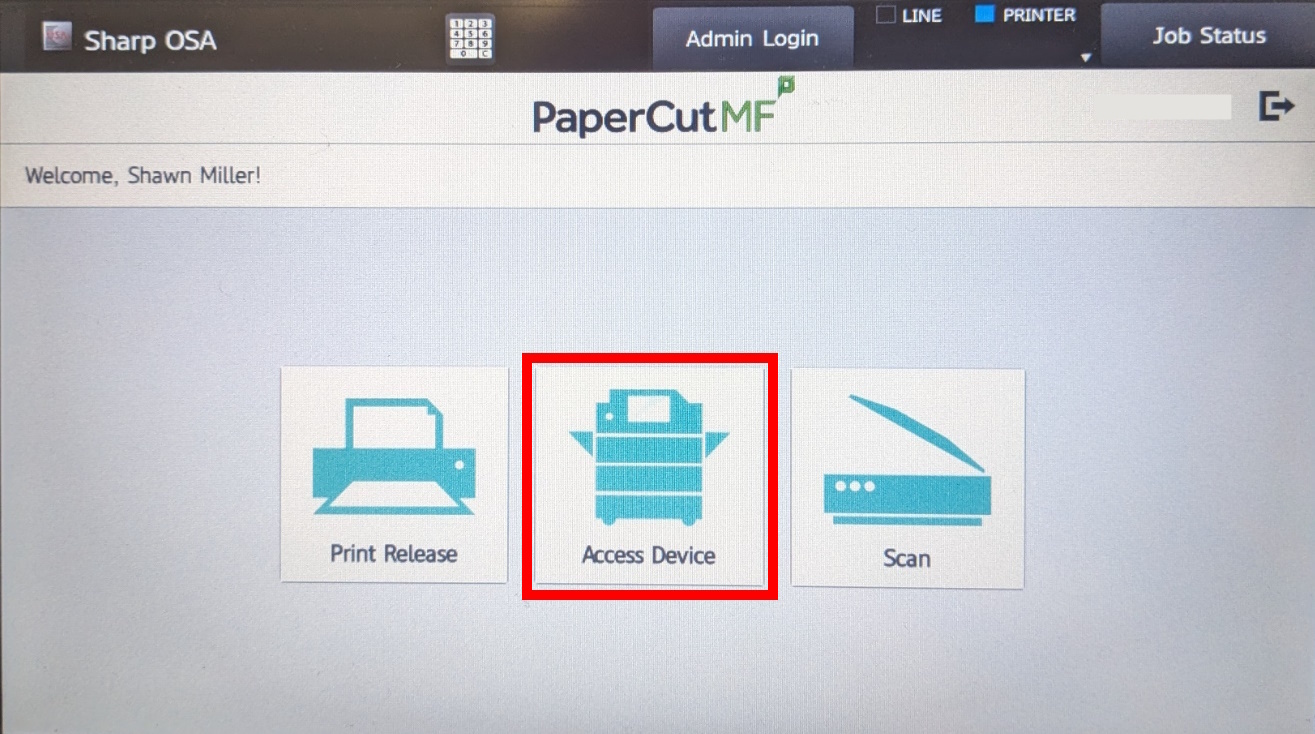
4. Select Print from USB.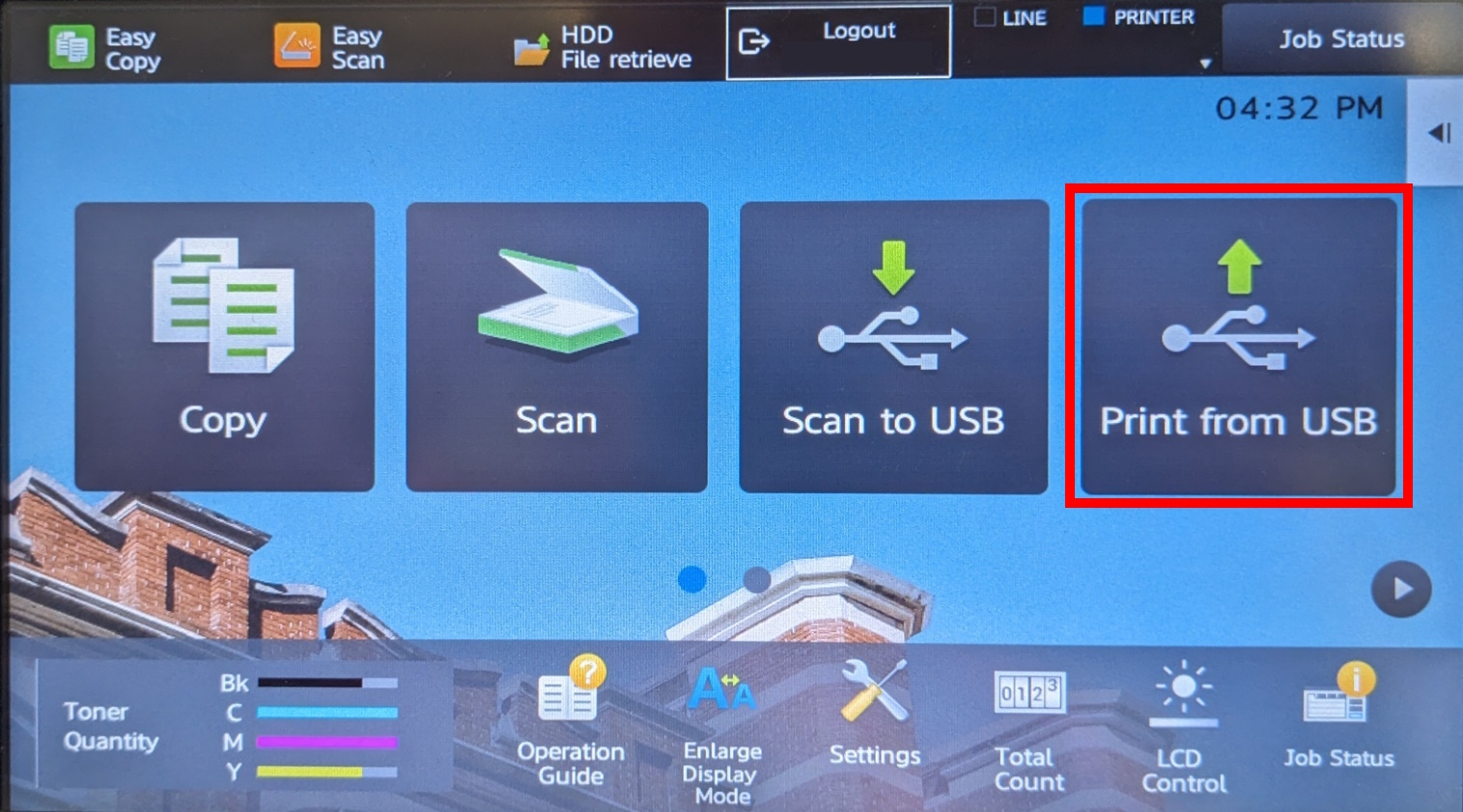
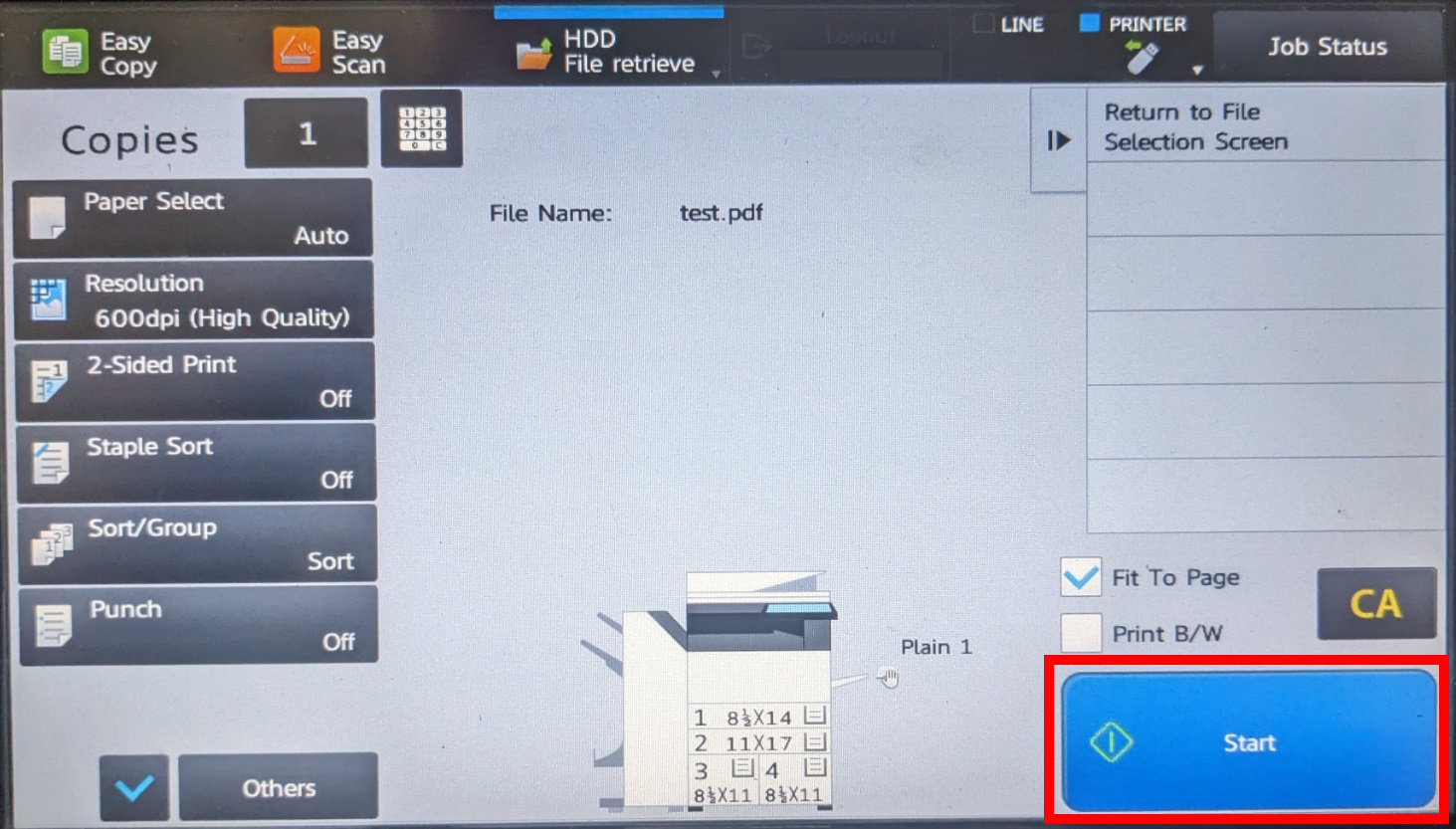
5. Select the desired file, followed by Choose Print Settings.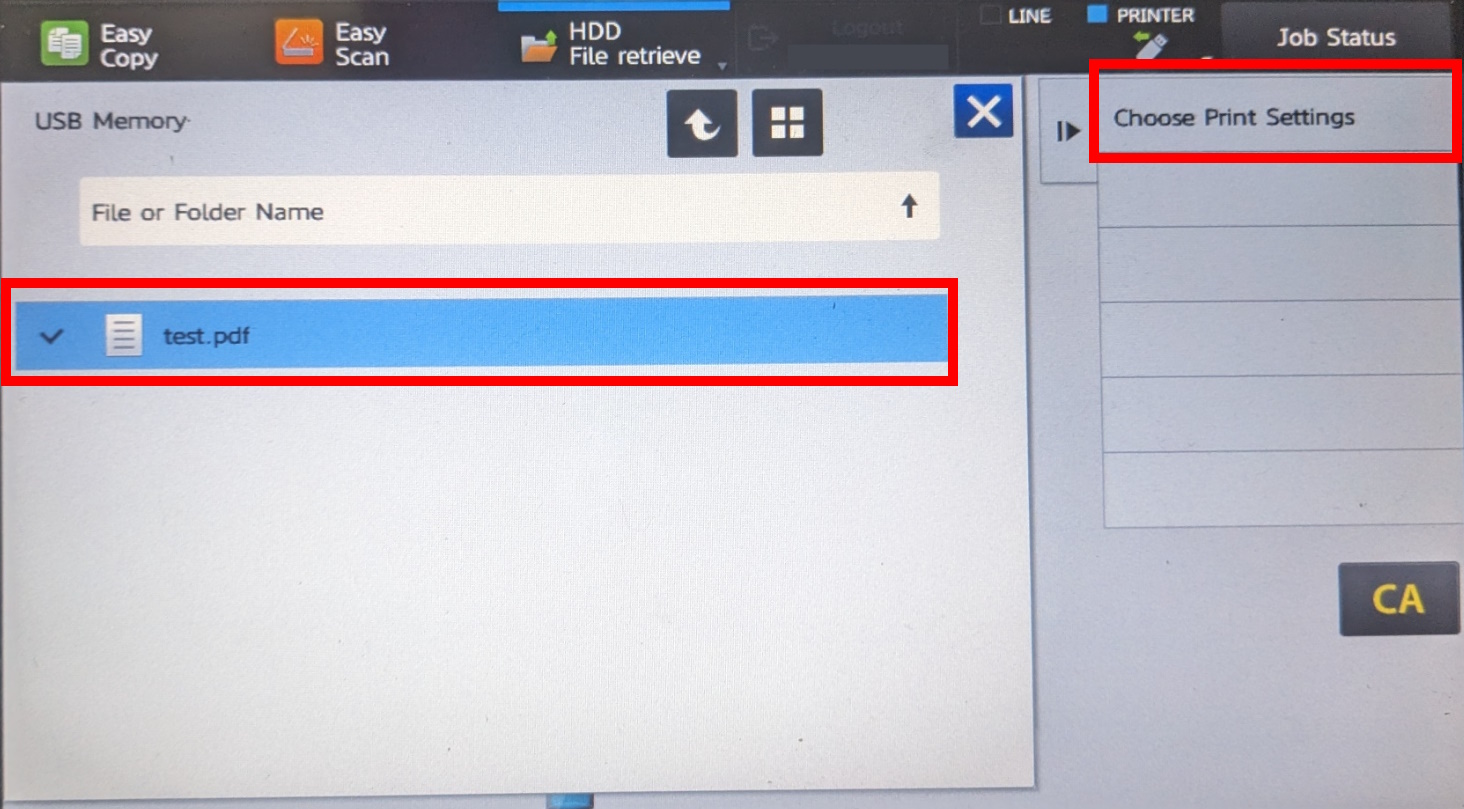 6. Adjust print settings as needed, then select Start.
Problems with Printing:
Click here to get help with common printing issues, or to request a refund.
Was this article helpful?
That’s Great!
Thank you for your feedback
Sorry! We couldn't be helpful
Thank you for your feedback
Feedback sent
We appreciate your effort and will try to fix the article